Graphic Design Certification Course in Roorkee
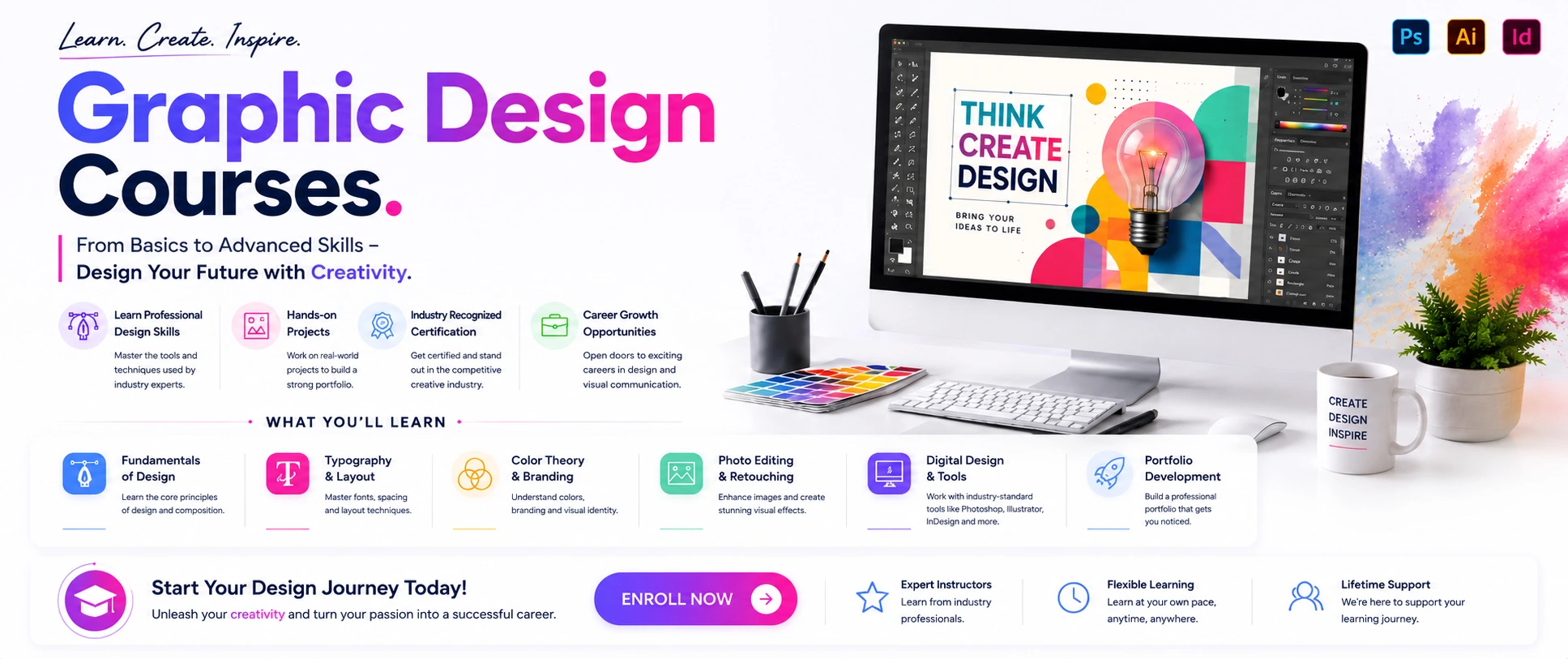
This Graphic Design masterclass offers both online and offline training from basic to advanced levels, taught by an experienced instructor covering Photoshop, Illustrator, InDesign, design theories, brand establishment, and logo design. You will gain deeper understanding of typesetting, color theory, image editing, layout design, blocking, and essential designing techniques.
The course teaches you to master Photoshop, Illustrator, and InDesign while building foundational knowledge in brand establishment, logo design, and marketing material creation. You will learn to create magazine layouts in InDesign using Master Pages for efficient multiple-page workflows, and use Adobe Illustrator to establish complete brand systems including name cards and VI handbooks. This comprehensive training enables you to become a skilled graphic designer capable of creating professional visual content for print and digital media.
Graphic Design Course Synopsis
Master the art and science of visual communication with this comprehensive Graphic Design course, designed to transform beginners into professional designers capable of creating impactful visual content for print, web, and multimedia platforms. This hands-on, industry-focused program covers the complete design workflow—from fundamental design principles and creative thinking to advanced technical skills using industry-standard tools like Adobe Photoshop, Illustrator, and InDesign—enabling you to build a professional portfolio ready for careers in advertising, branding, marketing, publishing, and digital media.
What You’ll Learn
Outcomes
By completion, you'll confidently apply design principles, master Adobe Creative Suite tools, create professional logos and brand identities, design marketing materials and multi-page layouts, and possess a portfolio of diverse design projects showcasing your skills for job opportunities in graphic design, branding, advertising, or freelance work across creative industries.
Graphic Design Course – Topic Points
Design Fundamentals & Adobe Photoshop Essentials
-
Design Foundations
- What is graphic design and its applications across industries
- Visual communication principles and message delivery strategies
- Color theory: hue, saturation, value, color psychology, harmonies (complementary, analogous, triadic)
- Typography fundamentals: font categories, hierarchy, readability, kerning, tracking, leading
- Layout principles: balance, alignment, proximity, contrast, white space, grid systems
- Visual hierarchy: guiding viewer attention effectively
- Composition techniques for print and digital media
- Design history and influential movements
-
Photoshop Core Skills
- Photoshop interface: workspace, panels, tools, menus customization
- Document setup: resolution (RGB vs. CMYK), color modes, canvas size, guides
- File formats: PSD, JPEG, PNG, TIFF, PDF (when to use each format)
- Selection tools mastery: Marquee, Lasso, Magic Wand, Object Selection, Quick Selection
- Layers deep dive: creation, grouping, ordering, masking (pixel & vector), blending modes
- Image editing: crop, resize, transform, content-aware fill, perspective warp
- Color correction: exposure, contrast, curves, levels, saturation, hue/saturation
- Retouching techniques: Spot Healing, Patch Tool, Clone Stamp, Content-Aware Fill
- Masks: layer masks, clipping masks, opacity masks for transparency control
- Creating graphics: shapes, text layers, custom designs, brushes
- Digital artwork: brush settings, painting techniques, custom brush creation
-
Advanced Typography & Color
- Advanced typography: custom lettering, letter manipulation techniques
- Text effects: shadows, gradients, 3D extrusion, warp effects
- Type treatments: stylistic modifications for visual impact
- Color psychology: emotional impact of colors in design
- Color harmonies: applying complementary, analogous, triadic schemes
- Color contrast: ensuring visibility and accessibility for all users
- Gradients: creating and applying gradient effects professionally
Adobe Illustrator Vector Graphics, Logo & Brand Design
-
Illustrator Fundamentals
- Illustrator interface: workspace, panels, tools, artboards setup
- Vector vs. raster: understanding scalability and when to use vector
- Drawing tools mastery: Pen tool, Pencil tool, Shape tools (Rectangle, Ellipse, Polygon, Star)
- Paths and anchor points: creating, editing, smoothing vector paths
- Shape Builder and Pathfinder: combining, subtracting, intersecting, excluding shapes
- Color and strokes: fills, strokes, gradients (linear, radial, freeform), swatches panel
- Typography in Illustrator: text tools, character/paragraph panels, formatting
- Exporting: AI, EPS, SVG, PDF formats for different uses
-
Logo Design Mastery
- Logo fundamentals: types of logos (symbol, wordmark, combination mark)
- Logo design process: research, concept development, sketching, refining
- Creating memorable logos: principles of simplicity, scalability, versatility
- Logo concepts: brainstorming multiple design directions
- Vector logo creation: building scalable logos from scratch
- Logo refinement: polishing details, checking proportions
- Logo variations: creating full-color, black & white, reversed versions
- Testing logos: checking at different sizes and contexts
-
Brand Identity Development
- Brand identity systems: logo, colors, typography, usage guidelines
- Color palette creation: selecting and defining brand colors
- Typography selection: choosing primary and secondary brand fonts
- VI (Visual Identity) handbook: documenting comprehensive brand standards
- Business card design: creating professional name cards with brand elements
- Brand application: applying identity across various materials
- Brand consistency: maintaining unified visual language
- Portfolio presentation: showcasing logo and brand projects professionally
- Client presentations: presenting design concepts and rationale professionally
- Rebranding projects: updating and evolving existing brand identities
-
Advanced Typography & Color
- Typography in logos: integrating text with symbols effectively
- Font pairing: combining multiple fonts harmoniously
- Custom fonts: creating unique typography for brands
- Color psychology in branding: emotional impact of brand colors
- Brand colors: selecting strategic colors for brand identity
- Color in digital: RGB, sRGB, color management for screens
- Color in print: CMYK process, spot colors for printing
Adobe InDesign Publishing, Marketing Materials & Digital Design
-
InDesign Core Skills
- InDesign interface: workspace, panels, tools, document setup
- Pages and spreads: creating multi-page documents efficiently
- Master Pages: setting up reusable elements for consistent layouts
- Typography: character and paragraph panels, advanced text formatting
- Importing content: text, images, graphics from Photoshop and Illustrator
- Grid and guides: organizing layout elements systematically
- Tables: creating and formatting data tables
- Color management: applying colors consistently across documents
- Styles: paragraph styles, character styles, object styles for efficiency
- Exporting: PDF for print (300dpi, CMYK, bleed), PDF for web, interactive formats
-
Magazine & Publication Design
- Magazine layout: designing professional multi-page publications
- Book design: creating multi-chapter documents with TOC, indexes
- Editorial design: magazine and publication layouts for clients
- Column layouts: setting up multi-column text flows
- Image placement: wrapping text around images, floating images
- Headlines and captions: designing engaging title treatments
- Pagination: numbering pages, creating running headers/footers
-
Marketing Materials & Print Design
- Poster design: event posters, promotional posters, advertising posters
- Flyer design: single-page marketing materials for events/promotions
- Brochure design: tri-fold, bi-fold, multi-page brochures
- Business card design: professional contact cards with brand elements
- Packaging design: product packaging, labels, boxes, structural design
- Menu design: restaurant and café menus with appealing layouts
- Catalog design: product catalogs and corporate reports
- Print processes: understanding offset printing, digital printing differences
- CMYK color mode: preparing files correctly for print production
- Bleed and margins: print-ready file preparation with proper spacing
- Resolution requirements: 300dpi for print quality standards
- File delivery: providing print-ready files to printing vendors
-
Digital Design & Web Graphics
- Web design fundamentals: creating visuals for websites and platforms
- UI (User Interface) design: designing app and website interfaces
- Social media graphics: Instagram posts, Facebook visuals, Twitter graphics, TikTok content
- Email headers: designing email marketing templates and banners
- Banner ads: creating digital advertising banners for campaigns
- Infographics: visual data representation for clear communication
- GIFs and animations: creating simple animated graphics
- Web optimization: file size reduction, resolution settings, formats (PNG, JPEG, WebP)
- Responsive design basics: designing for multiple screen sizes (mobile, tablet, desktop)
- Landing pages: creating promotional page visuals for campaigns
- Mobile app design: designing for smartphone interfaces
- Digital portfolios: showcasing work online professionally
Real-World Projects, Portfolio Building & Career Development
-
Real-World Design Projects
- Commercial projects: creating marketing and promotional materials for businesses
- Social media content: producing short-form visual content for platforms
- Branding projects: developing complete brand identity systems from scratch
- Editorial design: magazine and publication layouts for real clients
- Packaging projects: product packaging and label design for brands
- Web projects: website and app interface design for digital products
- Case studies: documenting design process, challenges, and results
- Client work simulation: practicing real client project scenarios
-
Portfolio Development
- Portfolio selection: choosing best projects to showcase effectively
- Portfolio organization: presenting work professionally and logically
- Digital portfolio: creating online portfolio website (Behance, personal site)
- Print portfolio: designing physical presentation book for interviews
- Case study documentation: writing process narratives for projects
- Visual presentation: arranging projects for maximum impact
- Portfolio updates: maintaining and refreshing portfolio regularly
-
Career Paths & Industry Navigation
- Career paths overview: graphic designer, visual designer, brand designer, creative director, art director
- Industry standards: understanding deliverables, file formats, client expectations
- Specializations: UI/UX designer, motion graphics designer, packaging designer, editorial designer
- Job market: current trends and opportunities in graphic design
- Salary expectations: understanding compensation ranges by role and location
-
Freelance & Business Skills
- Freelance workflow: pricing strategies, writing contracts, managing timelines
- Client communication: clear communication, managing expectations, feedback handling
- Building clientele: finding and retaining repeat clients
- Prospect outreach: marketing yourself to potential clients
- Proposal writing: creating compelling project proposals
- Invoice management: tracking payments and billing clients
-
Professional Development
- Networking strategies: joining design communities, LinkedIn engagement, industry events
- Continuing education: staying updated with trends, tools, and techniques
- Software updates: mastering new features in Adobe Photoshop, Illustrator, InDesign
- Design trends: current styles, movements, and emerging practices
- Professional certifications: additional credentials to enhance credibility
- Workshops and courses: targeted learning for skill advancement
- mentorship: finding mentors and offering mentorship
-
Job Search & Application
- Job search strategies: applying for positions at companies and agencies
- Interview preparation: preparing for design interviews and portfolio reviews
- Resume building: showcasing design skills effectively on resumes
- Portfolio presentation for interviews: presenting work professionally
- Salary negotiation: negotiating compensation offers
- Career transitions: moving between roles and industries
-
Workflow Optimization & Professional Practices
- Workspace customization: organizing panels for maximum efficiency
- Keyboard shortcuts: essential commands and customization for speed
- Templates: creating project templates for repetitive workflows
- Asset organization: best practices for managing large projects
- Version control: saving project iterations (v1, v2, final)
- Collaboration: working with teams on shared projects
- Storage management: archive strategies, cloud backup (Google Drive, Dropbox)
- Performance tuning: optimizing software settings for speed
- Troubleshooting: resolving common issues and errors
- File naming: consistent naming conventions for organization
- Backup strategies: protecting your work from loss
- Professional ethics: copyright laws, plagiarism avoidance, originality
Ofline
Ofline
Course Details
 Duration
6 Months
Duration
6 Months
 Entry Eligibility Requirement
10 /12 Th
Entry Eligibility Requirement
10 /12 Th
 Mode of study
Online / Ofline
Mode of study
Online / Ofline
 Mode of Type
Regular, Weekends
Mode of Type
Regular, Weekends
 Placement
99% Assistance
Placement
99% Assistance
Professional Software’s